Scientific figuresmade simple

Illustrations, mechanisms and data plots. In the AI you already use.

B2R SkillFree scientific visualization

See research take shape

From research material to a clear figure

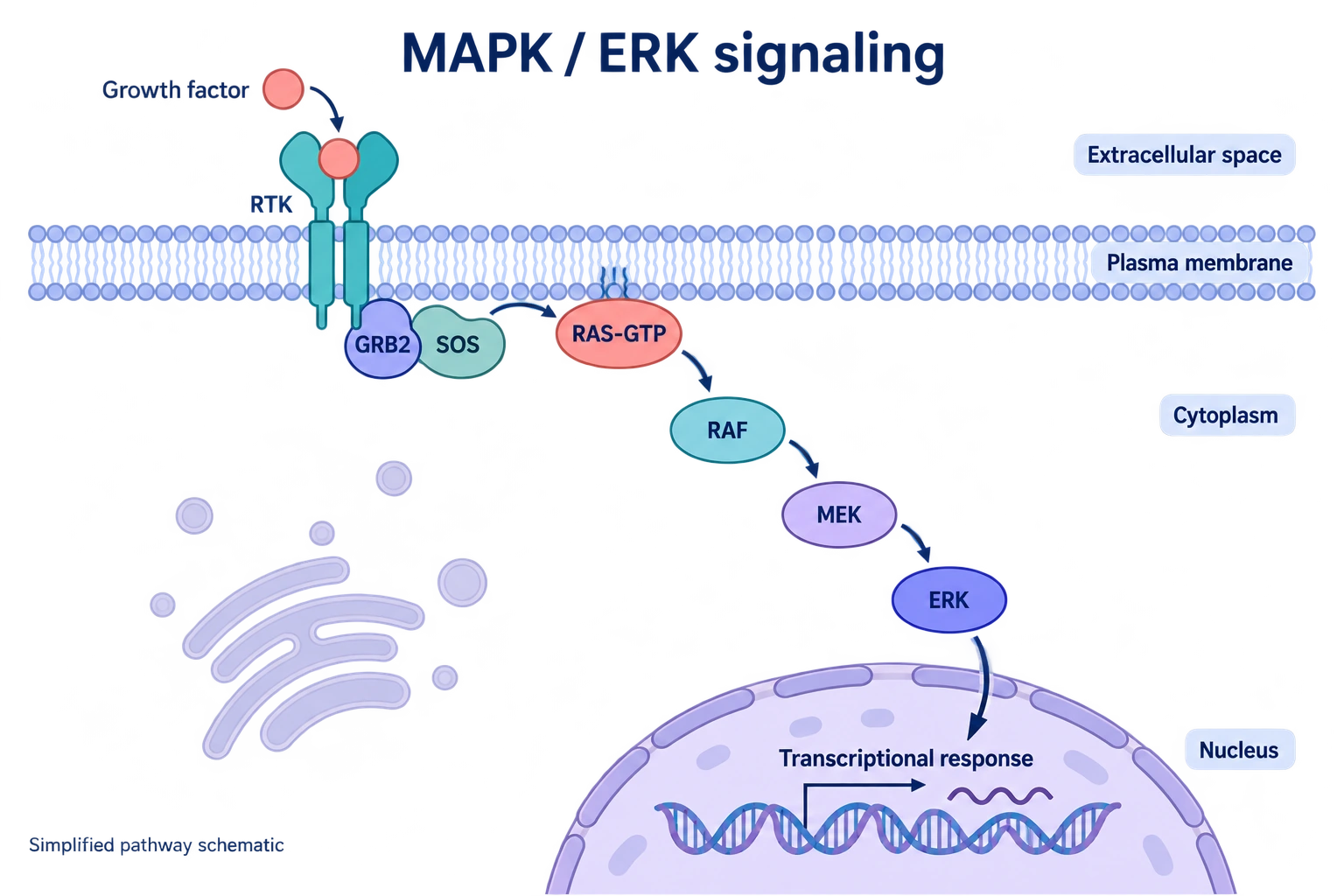
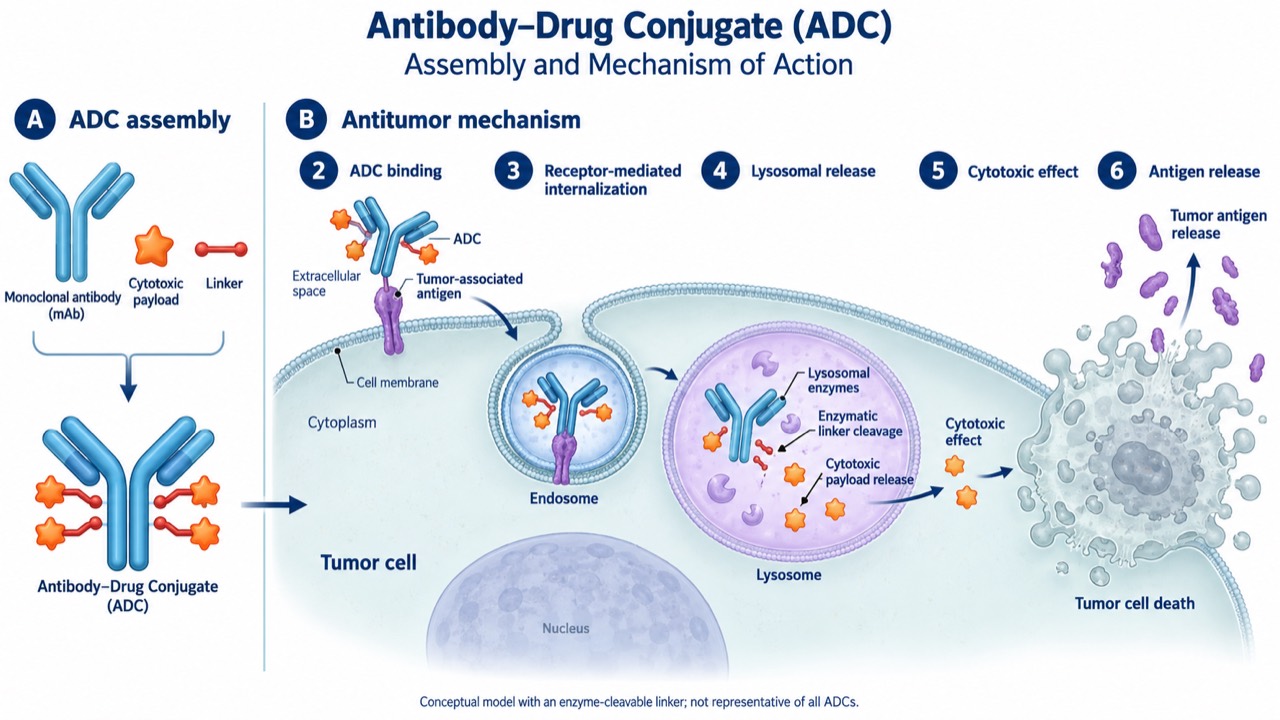
Mechanisms, 2.5D illustrations and data figures. Explore the work, then adapt a brief to your research.

Make the relationships visible

Start with the entities and relationships, then shape the composition, viewpoint and labels into a clear reading order.

BRING
Research description + references or a sketch
CREATE
Schematic + key labels + questions to resolve
Suggested brief
Use B2R Skill to turn [research description] into a mechanism figure. Check entities, arrow directions and evidence first, then propose a 2D or 2.5D composition. Label clearly and list unconfirmed relationships.
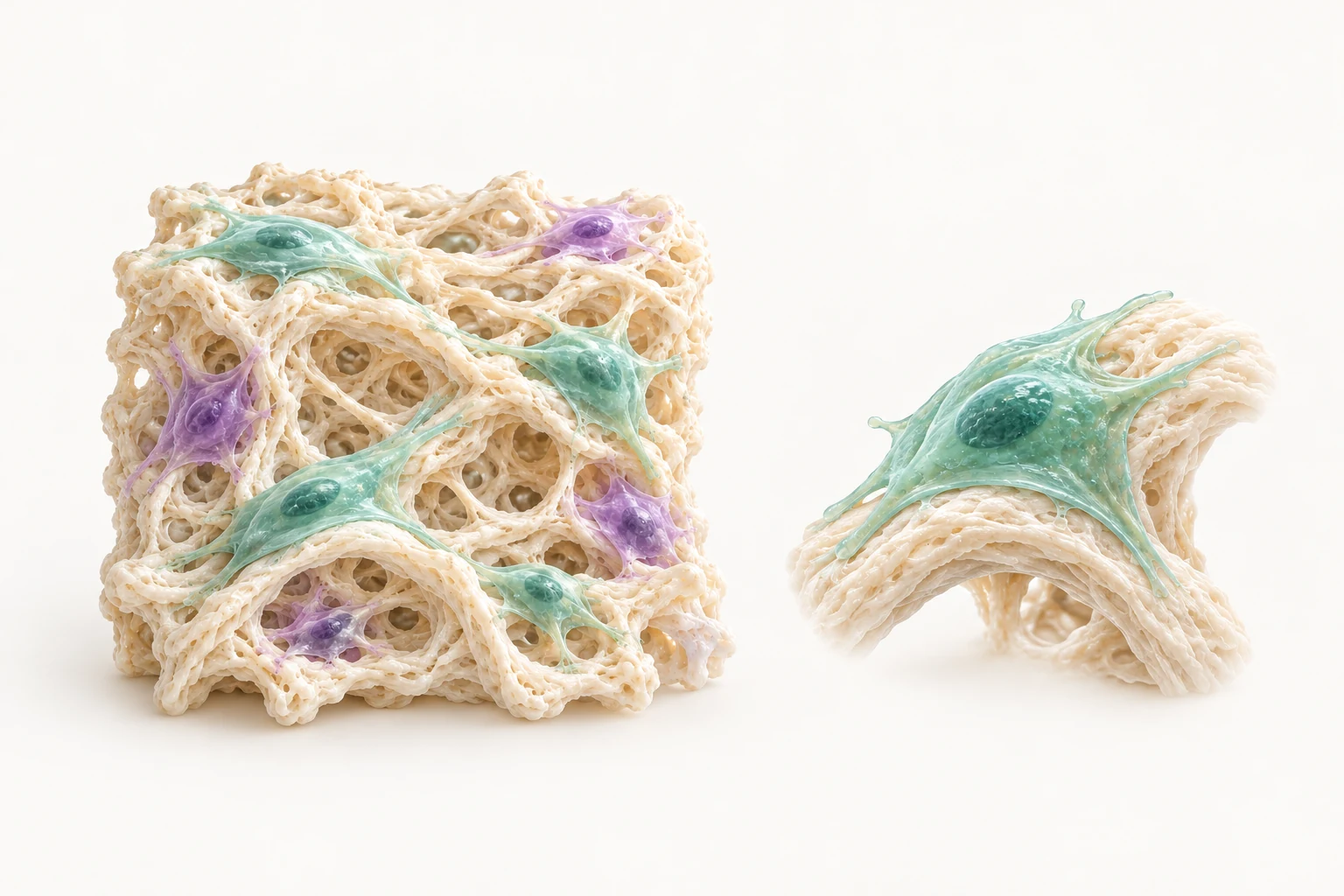
Illustrative artwork · cell carriers & tissue context
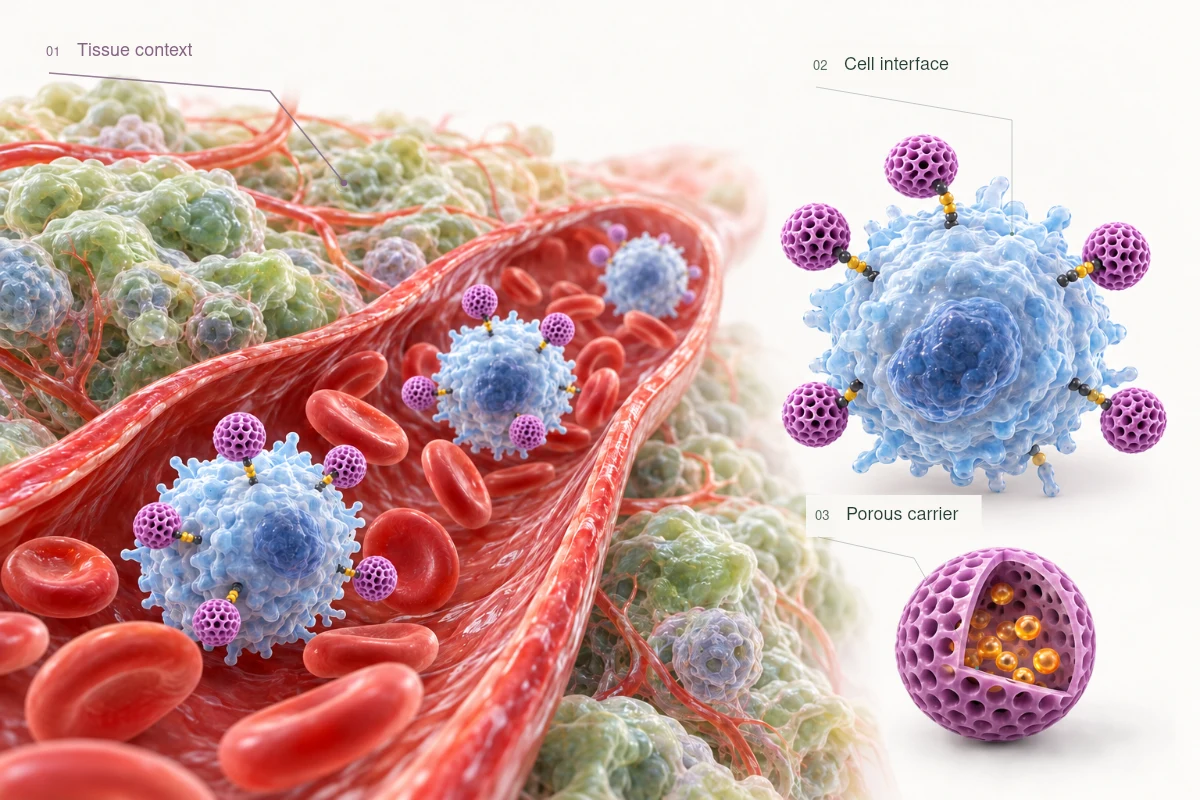
01Tissue context02Cell interface03Porous carrier

Establish the tissue context before moving into detail.
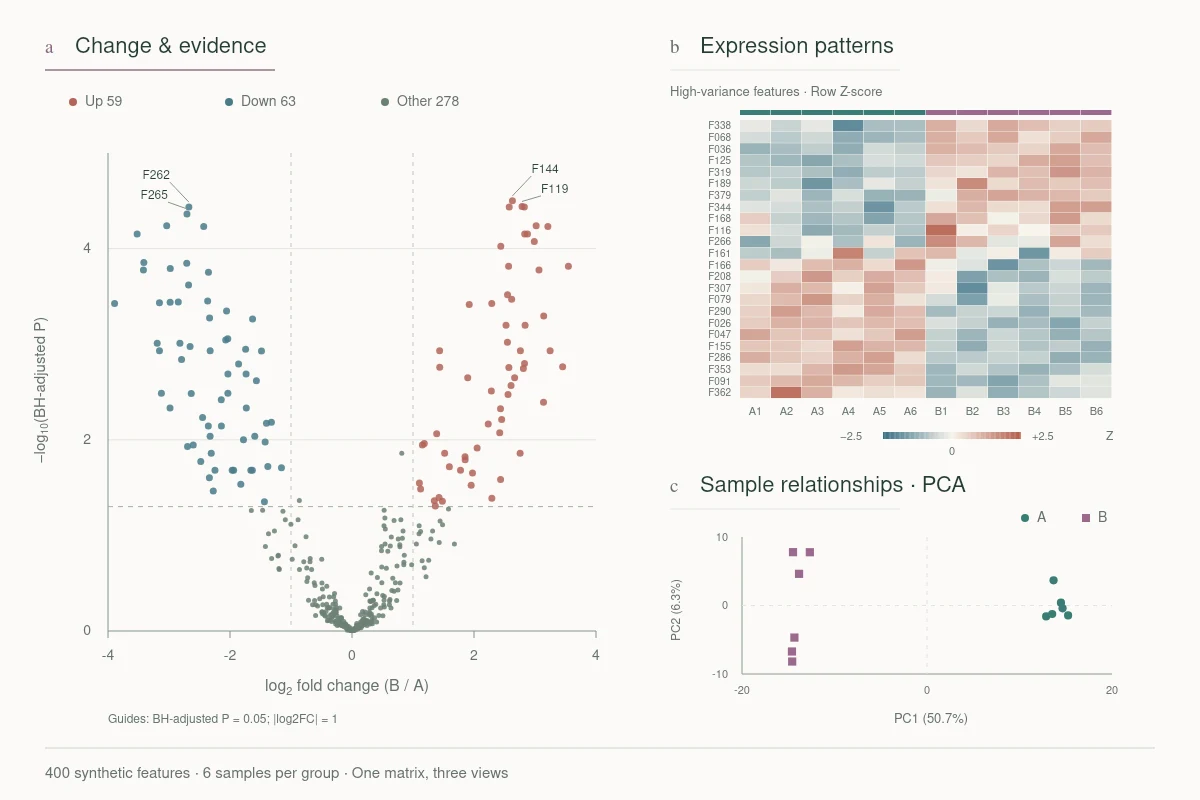
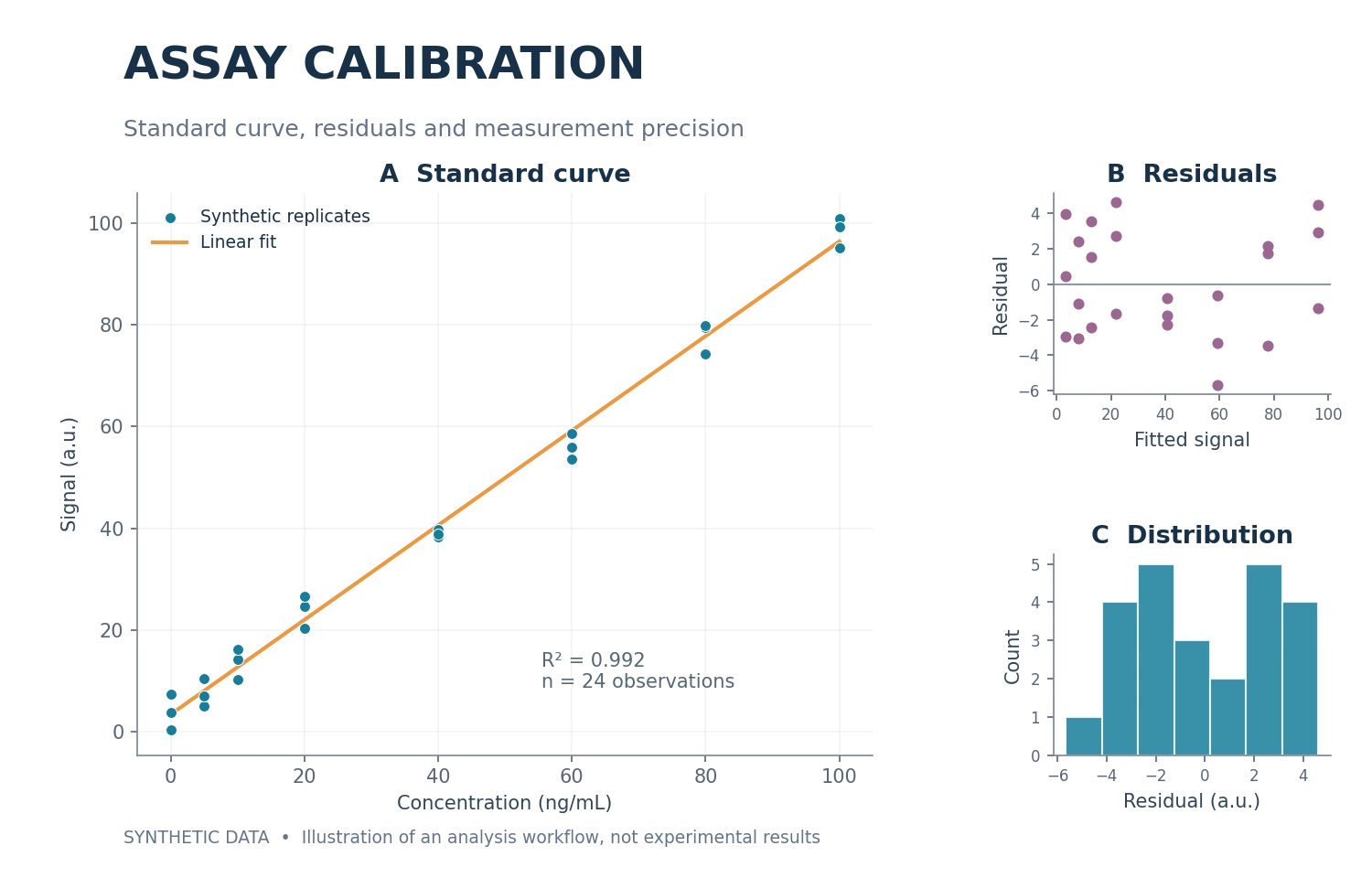
Demonstration data · one matrix, three views
01Change distribution02Expression patterns03Sample relationships

Show effect size alongside BH-adjusted statistical evidence.

Synthetic demonstration: volcano plot, heatmap and PCA calculated from a 400 × 12 expression matrix, not experimental findings.

See the patterns in your data

Organize plots around the analytical question. Keep axes, groups and methods attached to the source data.

BRING
Data table + group definitions + analytical question
CREATE
Figure panels + source data + methods
Suggested brief
Use B2R Skill to create figure panels from [data table] for [analytical question]. Confirm groups, units and methods first. Plot the supplied data and include the source data and processing notes.

Refine the details that matter

Refine labels, spacing and visual hierarchy on an existing figure, with a clear scope and the research logic preserved.

BRING
Existing figure + label requirements + edit scope
CREATE
Revised composition + change notes
Suggested brief
Use B2R Skill to revise [labels / colors / layout] in this figure. Preserve [what must stay fixed]. Explain the scope first, then deliver the revised figure and change notes.

Interactive comparison of labels and layout. Raster artwork is not fully editable vector content.

Cells & fibrous scaffold · illustrative artwork
aFibrous scaffoldbLocal structureAttached cells
Consistent annotation positions and more room to read, preserving the underlying artwork.

Original visuals and synthetic data illustrate task types, not validated research findings or tested platform outputs.

Explore more scientific figures

Bring B2R to your AI

Choose a platform and give your AI the install request, or download the complete package for local import.

Free B2R scientific visualization Skill

B2R 0.3.8 · Standard Skill package

Download local Skill

Add locallyAfter downloading, open Doubao → Work → Skills / Connectors / Partners. Add a custom skill through local import and choose the package, or its complete extracted folder if requested.

Full installation guide

Before you start

Use Doubao Work with Skills / Connectors / Partners and local import enabled. Ordinary Doubao chat is not equivalent to Doubao Work.

For biological and biomedical mechanisms, review generated results and verify them manually.

Platform guidance

Install & try your first task

  1. 1

    Open skill management in Doubao Work and check local import. If absent, check client version and account access.

  2. 2

    Download B2R-Skill-0.3.8.zip and import the complete directory as requested by the client, not SKILL.md alone.

  3. 3

    Enable B2R and choose it in More skills. Ask it to report the loaded version and files before drawing.

Installation request & release files
Install the free Bench2Result (B2R) scientific visualization Skill from its official GitHub directory:
https://github.com/Calpath-Duke/b2r-skill/tree/main/skills/b2r-research-visualization
Confirm it works

Official guidance confirms custom skills and local file import. Exact ZIP layout and client import remain untested. Keep any format error for support; upload success does not prove rendering access.

The same free core is used without separate scientific rules. Rendering depends on the current session tools.

These are client installation paths. Full B2R import and rendering workflows remain untested on each platform.

Your first figure brief
Use B2R Skill to turn the research description below into a mechanism schematic. First list the key entities, established relationships, and questions for me to confirm. Propose a composition before drawing; do not invent mechanisms. Keep labels legible and explain which parts can be revised.

Research description: [your description]
Use and size: [paper figure / presentation, target size]
References: [public papers, a sketch, or images you are authorized to use]

The Skill is free; platform subscriptions and image credits follow their own rules. Researchers should review the science and conclusions.

A few things before you begin

Do I need to know how to code?

Writing a figure brief and requesting revisions usually do not require coding. Client setup, plugin authorization, or some image tools still require platform-specific configuration. Understand and review the methods used for complex data work.

Does a free Skill mean free image generation?

No. B2R provides the Skill for free. Model calls, image credits, subscriptions, or API services may cost money. Check the limits shown in your chosen platform account before starting.

What should I prepare?

Bring your research objective, key entities and relationships, references or a sketch, and target dimensions. For data figures, include the source table, column meanings, groups, and units. Use public or de-identified material for the first test.

How can I revise an output?

Name the region, the change, and what must remain fixed. Focus on one issue at a time. Text, vector objects, raster images, and rendered 3D artwork have different editing limits; ask for formats and limitations with the output.

What if installation or drawing fails?

Check your client version, enabled skill, image tool, and available credits. Record the error and steps already tried. The official community will offer troubleshooting discussions when it opens. Never post keys, patient data, or unauthorized research files publicly.

Better figures, one conversation at a time

Share figures, exchange drawing methods and report issues. A discussion group and limited free drawing assistance are being prepared.

Official community · Opening soon

The free Skill is available now, with no community membership required.

Need refinement, expert review or help with a more complex project?

Discuss human support